Is everything
running?
Opsifier is an open-source control panel for your own server. It deploys your apps and databases, and tells you how they are doing before you read a word.
Early development. Not ready for production yet.
The answer comes before the words.
Open the panel and you already know. Every service has one light, and each of the six states has its own colour, shape and motion, so nothing depends on colour alone.
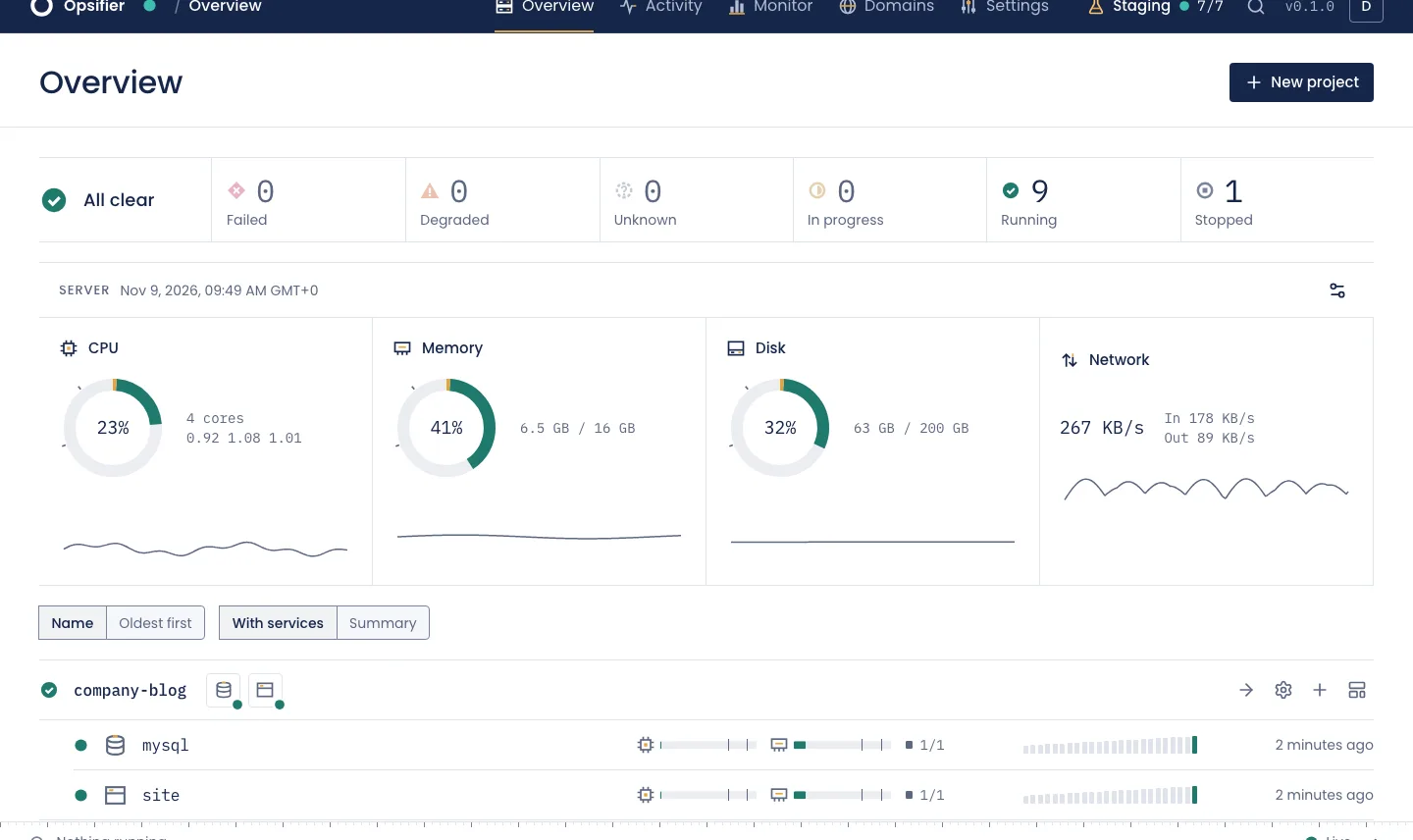
- Failed
- Degraded
- Unknown
- In progress
- Running
- Stopped
Only work in progress moves. A problem flashes three times, then holds still until you deal with it.
It runs what you already run.
Apps
From a Docker image, a Git repository, GitHub, a Dockerfile or an uploaded archive.
Databases
Postgres, MySQL, MariaDB, MongoDB and Redis, with credentials and backups handled for you.
Compose stacks
Bring your compose file and keep it.
Templates
Ready-made apps, installed in a few clicks.
Box
A runtime with the languages you pick and an editor in the browser.
Scripts
On a schedule, with a time limit, a real cancel and a history of every run.
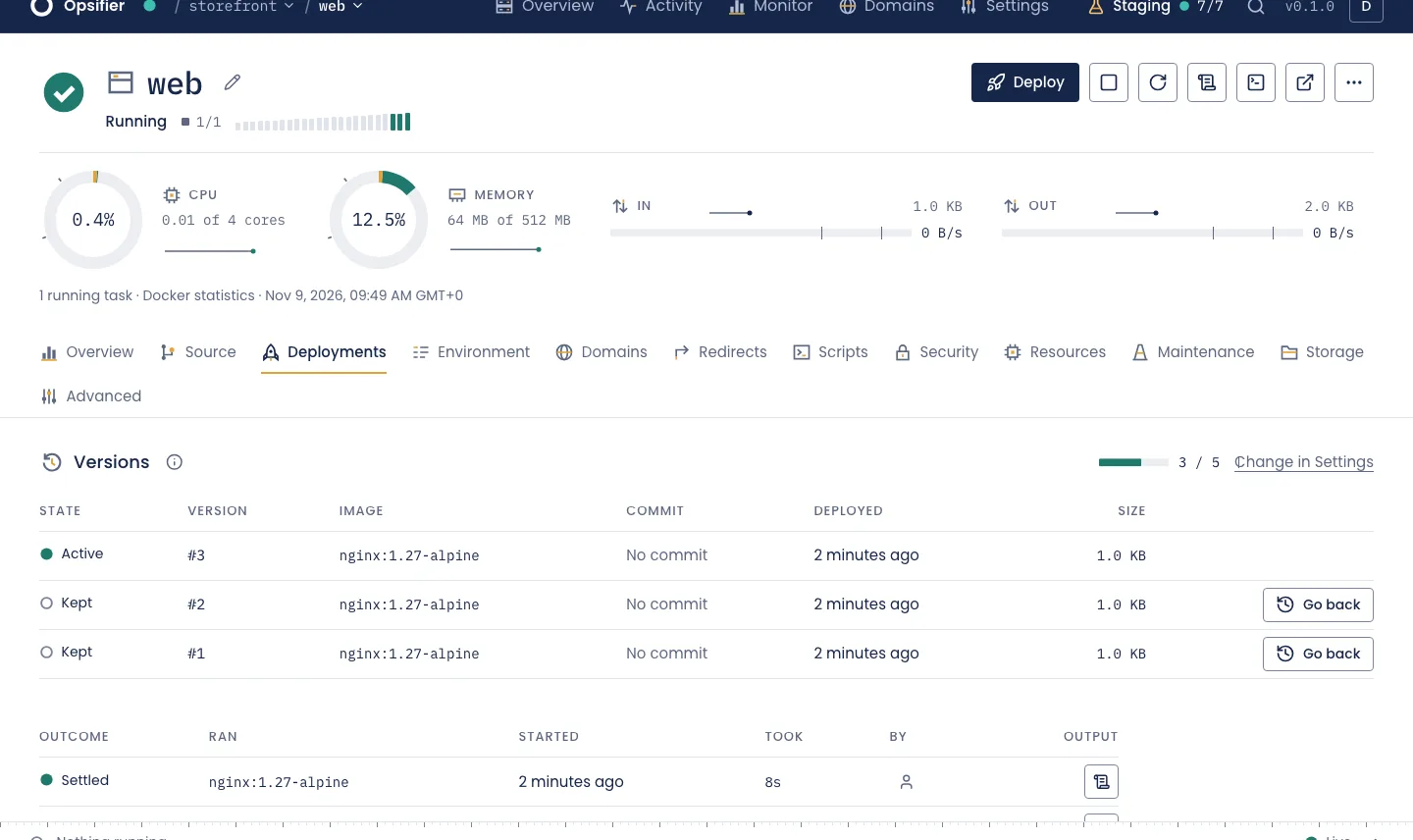
Every deployment is a version you can return to.
Opsifier records the exact image each deployment ran and keeps its settings, five versions per service by default. When a release of an app goes wrong, one action puts the previous one back, and your volumes stay as they were.
If an update fails on its own, the version before it comes back without you asking.
An address, on request.
Ask for one from the panel. Once a person has approved it, your server gets its own name and one wildcard certificate for everything under it, with no DNS to set up. You can always use your own domain instead.
k7wqmd3r.opsifier.dev
An example of what a server's address looks like.
Say what the server is for.
Until you decide, every site stays behind a password and out of search engines. Going to production takes a typed confirmation.
- Every site asks for a password
- robots.txt tells crawlers to stay away
- Nothing gets indexed
- Password required, for your clients too
- Closed to crawlers by robots.txt
- Invisible to search engines
- Sites are open to everyone
- Crawlers are welcome
- Made to be indexed
From a terminal, or from an agent.
The command line and the MCP server use the same API keys and the same rights as the API, so neither can do what the key could not.
opsifier status
opsifier logs shop/web --since 1h --level error
opsifier deploy shop/web
opsifier deployments shop/web
Where it stands.
Opsifier is in early development. Expect breaking changes, and don't put anything on it yet that you can't afford to lose.
Works today
- Deployments and going back
- Domains and HTTPS
- Databases and backups
- Logs, console and metrics
- Two-factor sign-in and project roles
Not yet
- A one-line installer
- WordPress sites
- Moving a project between servers
- Multi-node clusters and tunnels
All clear
Read it, run it, change it.
Apache 2.0, with every feature included and no paid tiers. Development mode uses a simulated Docker, so it changes nothing on your machine.
Open the repositorygit clone https://github.com/voidagency/opsifier
cd opsifier
bun install
bun run devYou need Bun and Node.js 22.13 or later.